
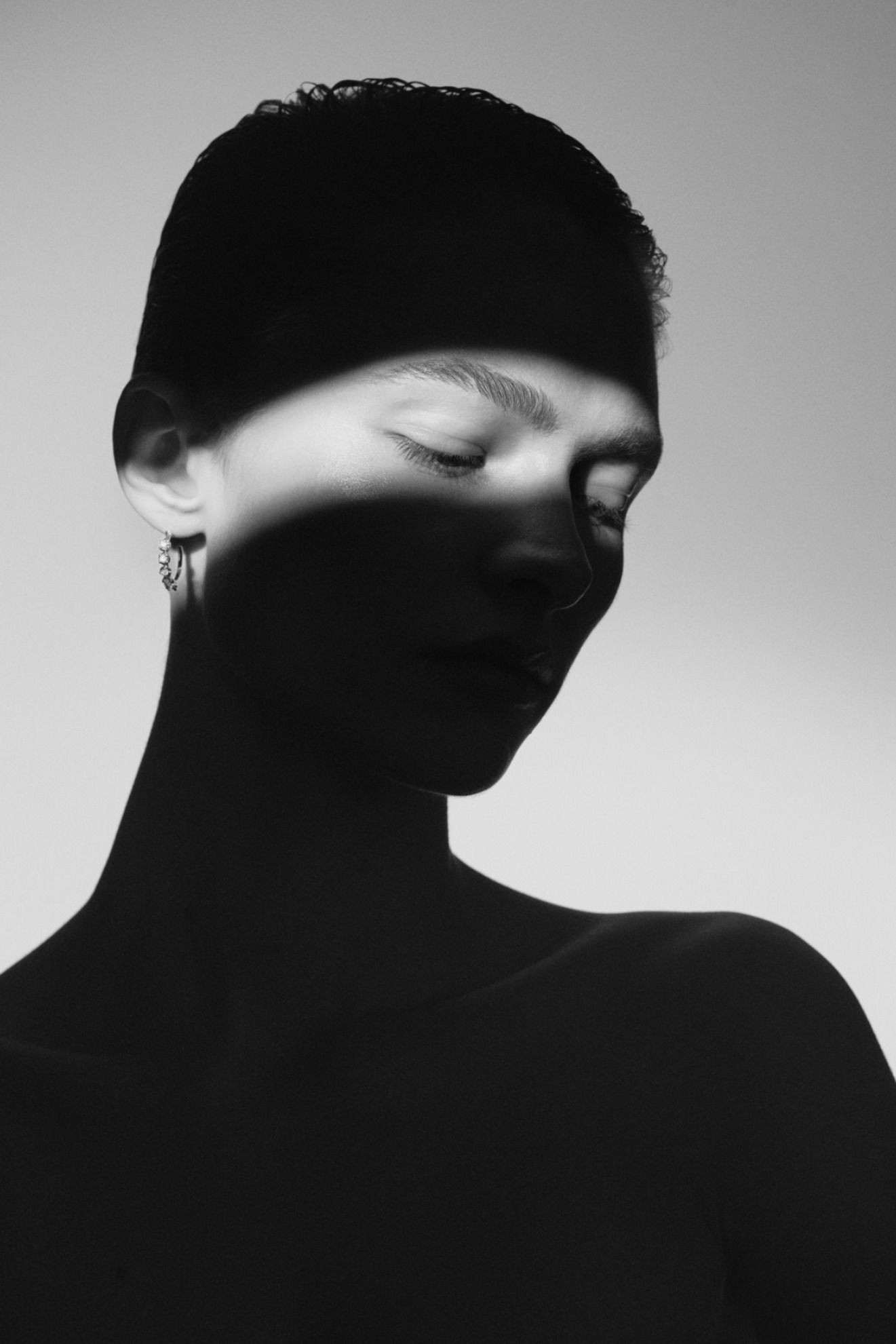
Faceless OnlyFans Tools You Need in 2026

The best tools for faceless OnlyFans creators in 2026. Covers cameras, lighting, editing apps, scheduling tools, privacy software, and more.

Undefined Talent Management Logo

Mira Johansson

Feb 21, 2026

Growth

Faceless OnlyFans Tools You Need in 2026

Introduction

A faceless OnlyFans creator earning $5,000 per month spends roughly 90 minutes per day on content production. That number only works if the tools are right. The wrong camera adds 30 minutes of editing. The wrong lighting ruins shots that need to be reshot. The wrong scheduling app means manual posting that eats into promotion time. And the wrong (or missing) privacy tools can expose your identity, which is the one thing a faceless creator cannot afford.

This post covers the specific tools, equipment, and software that faceless OnlyFans creators actually use. Not a generic “best cameras of 2026” list, but the exact stack optimized for anonymous content production, account management, and privacy protection.

Introduction

A faceless OnlyFans creator earning $5,000 per month spends roughly 90 minutes per day on content production. That number only works if the tools are right. The wrong camera adds 30 minutes of editing. The wrong lighting ruins shots that need to be reshot. The wrong scheduling app means manual posting that eats into promotion time. And the wrong (or missing) privacy tools can expose your identity, which is the one thing a faceless creator cannot afford.

This post covers the specific tools, equipment, and software that faceless OnlyFans creators actually use. Not a generic “best cameras of 2026” list, but the exact stack optimized for anonymous content production, account management, and privacy protection.

Introduction

A faceless OnlyFans creator earning $5,000 per month spends roughly 90 minutes per day on content production. That number only works if the tools are right. The wrong camera adds 30 minutes of editing. The wrong lighting ruins shots that need to be reshot. The wrong scheduling app means manual posting that eats into promotion time. And the wrong (or missing) privacy tools can expose your identity, which is the one thing a faceless creator cannot afford.

This post covers the specific tools, equipment, and software that faceless OnlyFans creators actually use. Not a generic “best cameras of 2026” list, but the exact stack optimized for anonymous content production, account management, and privacy protection.

Camera and Phone Setup

Most faceless creators do not need a dedicated camera. A smartphone from the last three years with a decent rear camera (12 MP or higher) handles the job. The iPhone 15 and 16 series, Samsung Galaxy S24, and Google Pixel 8 all shoot at a quality level that exceeds what OnlyFans subscribers expect.

One detail most guides skip: use the rear camera, not the front-facing selfie camera. The rear camera on virtually every phone has a larger sensor, better low-light performance, and higher resolution. For faceless content, you are not framing your face in the viewfinder, so the selfie camera’s convenience advantage disappears.

A tripod with a phone mount is non-negotiable. Handheld shots look amateur and limit your angles. The UBeesize 67-inch phone tripod (roughly $25) covers most needs. It extends tall enough for full-body shots, has a flexible head for angle adjustments, and includes a Bluetooth remote shutter so you can trigger photos from across the room.

For creators who want to step up to video, the DJI Osmo Mobile 7 gimbal ($100 to $130) stabilizes footage and makes panning shots smooth. Video content typically generates higher PPV conversion rates, so the investment pays for itself within weeks. For ideas on what to shoot, see our faceless OnlyFans content ideas list.

Lighting

Lighting is the single biggest quality differentiator between amateur and professional-looking content. One light source, positioned correctly, transforms a phone photo into something that looks like it was shot on a $3,000 setup.

A ring light is the default choice and for good reason. The Neewer 18-inch ring light ($50 to $70) provides even, flattering illumination and includes a phone mount and stand. Position it directly in front of you at eye or chest height for body shots. The ring light eliminates harsh shadows and creates a clean, polished look that subscribers associate with premium content.

For creators who want more creative control, a softbox kit adds directional lighting. The Mountdog 1600W softbox kit ($45 to $60) includes two adjustable lights that let you create side-lit or dramatically shadowed compositions. This is particularly effective for silhouette content, lingerie shoots, and artistic niche photography.

One thing most guides overlook: color temperature matters. Set your lights to warm white (3000K to 4000K) for skin tones. Cool white (5000K+) makes skin look washed out and blue-toned on camera. Most LED ring lights and softboxes have adjustable color temperature. Use it. Consistent lighting is a core part of building a recognizable look, which we cover in our branding basics guide.

Editing Apps

Raw photos rarely go straight to OnlyFans. Minimal editing, specifically adjusting brightness, contrast, warmth, and cropping, turns a good photo into a great one. Heavy filtering is not the goal. Subscribers can spot over-edited content and it reduces trust.

Lightroom Mobile (free with optional premium subscription) is the standard for photo editing among creators. Its preset system lets you apply a consistent look across all your photos with one tap, which is critical for building a recognizable brand aesthetic. Create or purchase a preset that matches your niche’s visual style and apply it to every batch.

For video editing, CapCut (free) handles everything most creators need: trimming, transitions, speed adjustments, and text overlays. The interface is intuitive enough that most people are editing within 10 minutes of downloading it.

Canva (free tier is sufficient) covers any graphic design needs: promo images for Twitter, watermarks, and branded profile elements. The watermark point is important. Add a subtle text watermark with your OnlyFans handle to every piece of content you post publicly. This deters content theft and provides free advertising when your content gets shared or reposted. Our content batching guide walks through how to set up an efficient editing workflow.

Privacy and Security Tools

One detail that matters more than any camera or light: your privacy stack. Faceless creators need tools that prevent accidental identity exposure and protect content from unauthorized distribution.

Metadata stripping is step one. Every photo your phone takes embeds metadata (EXIF data) including GPS coordinates, device model, and date. Before uploading anything to OnlyFans or social media, strip this data. On iPhone, the Metapho app ($4) lets you view and remove metadata per photo. On Android, Photo Metadata Remover (free) handles the same task. Some creators automate this by using Shortcuts (iOS) or Tasker (Android) to strip metadata on every photo saved to a specific album.

A VPN should be active whenever you access your OnlyFans creator account, your promotion social media accounts, or any email associated with your creator identity. This prevents your IP address from being logged or correlated with your personal identity. ProtonVPN and NordVPN are both reliable options with no-log policies. The cost is $3 to $5 per month.

DMCA monitoring protects your content from being leaked to piracy sites. Services like DMCA.com and Rulta scan the web for unauthorized copies of your content and issue takedown notices on your behalf. The cost ranges from $10 to $30 per month depending on the service tier. For creators earning $1,000 or more per month, this is a necessary business expense, not an optional one.

OnlyFans geoblocking is a built-in feature that lets you block users from specific countries or regions from seeing your profile. If you live in a small town or a country where your identity could be easily connected to a limited number of OnlyFans accounts, geoblocking your home region is a baseline safety measure. Access this through Creator Settings on OnlyFans.

Account Management and Scheduling Tools

Running a faceless OnlyFans account means managing multiple platforms simultaneously: OnlyFans itself, Twitter, Reddit, and potentially others. The right tools keep this manageable.

A scheduling tool for Twitter saves hours per week. Buffer (free for up to three channels) and Later (free tier available) both handle tweet scheduling, analytics, and optimal send-time suggestions. Batch your weekly Twitter content in one sitting and let the scheduler handle distribution.

For Reddit, scheduling is trickier because most subreddits flag posts from scheduling tools as spam. Manual posting is safer, but you can still batch your content preparation. Write your Reddit post titles and descriptions in a notes app, prepare your images in advance, and set daily reminders to post at your target times.

Google Sheets or Notion works as a simple content tracker. Log your posting dates, content types, PPV sends, revenue per send, and subscriber count. This data becomes invaluable when you need to identify what is working and what is not. For more on building your daily workflow, see our posting routine guide.

Camera and Phone Setup

Most faceless creators do not need a dedicated camera. A smartphone from the last three years with a decent rear camera (12 MP or higher) handles the job. The iPhone 15 and 16 series, Samsung Galaxy S24, and Google Pixel 8 all shoot at a quality level that exceeds what OnlyFans subscribers expect.

One detail most guides skip: use the rear camera, not the front-facing selfie camera. The rear camera on virtually every phone has a larger sensor, better low-light performance, and higher resolution. For faceless content, you are not framing your face in the viewfinder, so the selfie camera’s convenience advantage disappears.

A tripod with a phone mount is non-negotiable. Handheld shots look amateur and limit your angles. The UBeesize 67-inch phone tripod (roughly $25) covers most needs. It extends tall enough for full-body shots, has a flexible head for angle adjustments, and includes a Bluetooth remote shutter so you can trigger photos from across the room.

For creators who want to step up to video, the DJI Osmo Mobile 7 gimbal ($100 to $130) stabilizes footage and makes panning shots smooth. Video content typically generates higher PPV conversion rates, so the investment pays for itself within weeks. For ideas on what to shoot, see our faceless OnlyFans content ideas list.

Lighting

Lighting is the single biggest quality differentiator between amateur and professional-looking content. One light source, positioned correctly, transforms a phone photo into something that looks like it was shot on a $3,000 setup.

A ring light is the default choice and for good reason. The Neewer 18-inch ring light ($50 to $70) provides even, flattering illumination and includes a phone mount and stand. Position it directly in front of you at eye or chest height for body shots. The ring light eliminates harsh shadows and creates a clean, polished look that subscribers associate with premium content.

For creators who want more creative control, a softbox kit adds directional lighting. The Mountdog 1600W softbox kit ($45 to $60) includes two adjustable lights that let you create side-lit or dramatically shadowed compositions. This is particularly effective for silhouette content, lingerie shoots, and artistic niche photography.

One thing most guides overlook: color temperature matters. Set your lights to warm white (3000K to 4000K) for skin tones. Cool white (5000K+) makes skin look washed out and blue-toned on camera. Most LED ring lights and softboxes have adjustable color temperature. Use it. Consistent lighting is a core part of building a recognizable look, which we cover in our branding basics guide.

Editing Apps

Raw photos rarely go straight to OnlyFans. Minimal editing, specifically adjusting brightness, contrast, warmth, and cropping, turns a good photo into a great one. Heavy filtering is not the goal. Subscribers can spot over-edited content and it reduces trust.

Lightroom Mobile (free with optional premium subscription) is the standard for photo editing among creators. Its preset system lets you apply a consistent look across all your photos with one tap, which is critical for building a recognizable brand aesthetic. Create or purchase a preset that matches your niche’s visual style and apply it to every batch.

For video editing, CapCut (free) handles everything most creators need: trimming, transitions, speed adjustments, and text overlays. The interface is intuitive enough that most people are editing within 10 minutes of downloading it.

Canva (free tier is sufficient) covers any graphic design needs: promo images for Twitter, watermarks, and branded profile elements. The watermark point is important. Add a subtle text watermark with your OnlyFans handle to every piece of content you post publicly. This deters content theft and provides free advertising when your content gets shared or reposted. Our content batching guide walks through how to set up an efficient editing workflow.

Privacy and Security Tools

One detail that matters more than any camera or light: your privacy stack. Faceless creators need tools that prevent accidental identity exposure and protect content from unauthorized distribution.

Metadata stripping is step one. Every photo your phone takes embeds metadata (EXIF data) including GPS coordinates, device model, and date. Before uploading anything to OnlyFans or social media, strip this data. On iPhone, the Metapho app ($4) lets you view and remove metadata per photo. On Android, Photo Metadata Remover (free) handles the same task. Some creators automate this by using Shortcuts (iOS) or Tasker (Android) to strip metadata on every photo saved to a specific album.

A VPN should be active whenever you access your OnlyFans creator account, your promotion social media accounts, or any email associated with your creator identity. This prevents your IP address from being logged or correlated with your personal identity. ProtonVPN and NordVPN are both reliable options with no-log policies. The cost is $3 to $5 per month.

DMCA monitoring protects your content from being leaked to piracy sites. Services like DMCA.com and Rulta scan the web for unauthorized copies of your content and issue takedown notices on your behalf. The cost ranges from $10 to $30 per month depending on the service tier. For creators earning $1,000 or more per month, this is a necessary business expense, not an optional one.

OnlyFans geoblocking is a built-in feature that lets you block users from specific countries or regions from seeing your profile. If you live in a small town or a country where your identity could be easily connected to a limited number of OnlyFans accounts, geoblocking your home region is a baseline safety measure. Access this through Creator Settings on OnlyFans.

Account Management and Scheduling Tools

Running a faceless OnlyFans account means managing multiple platforms simultaneously: OnlyFans itself, Twitter, Reddit, and potentially others. The right tools keep this manageable.

A scheduling tool for Twitter saves hours per week. Buffer (free for up to three channels) and Later (free tier available) both handle tweet scheduling, analytics, and optimal send-time suggestions. Batch your weekly Twitter content in one sitting and let the scheduler handle distribution.

For Reddit, scheduling is trickier because most subreddits flag posts from scheduling tools as spam. Manual posting is safer, but you can still batch your content preparation. Write your Reddit post titles and descriptions in a notes app, prepare your images in advance, and set daily reminders to post at your target times.

Google Sheets or Notion works as a simple content tracker. Log your posting dates, content types, PPV sends, revenue per send, and subscriber count. This data becomes invaluable when you need to identify what is working and what is not. For more on building your daily workflow, see our posting routine guide.

Camera and Phone Setup

Most faceless creators do not need a dedicated camera. A smartphone from the last three years with a decent rear camera (12 MP or higher) handles the job. The iPhone 15 and 16 series, Samsung Galaxy S24, and Google Pixel 8 all shoot at a quality level that exceeds what OnlyFans subscribers expect.

One detail most guides skip: use the rear camera, not the front-facing selfie camera. The rear camera on virtually every phone has a larger sensor, better low-light performance, and higher resolution. For faceless content, you are not framing your face in the viewfinder, so the selfie camera’s convenience advantage disappears.

A tripod with a phone mount is non-negotiable. Handheld shots look amateur and limit your angles. The UBeesize 67-inch phone tripod (roughly $25) covers most needs. It extends tall enough for full-body shots, has a flexible head for angle adjustments, and includes a Bluetooth remote shutter so you can trigger photos from across the room.

For creators who want to step up to video, the DJI Osmo Mobile 7 gimbal ($100 to $130) stabilizes footage and makes panning shots smooth. Video content typically generates higher PPV conversion rates, so the investment pays for itself within weeks. For ideas on what to shoot, see our faceless OnlyFans content ideas list.

Lighting

Lighting is the single biggest quality differentiator between amateur and professional-looking content. One light source, positioned correctly, transforms a phone photo into something that looks like it was shot on a $3,000 setup.

A ring light is the default choice and for good reason. The Neewer 18-inch ring light ($50 to $70) provides even, flattering illumination and includes a phone mount and stand. Position it directly in front of you at eye or chest height for body shots. The ring light eliminates harsh shadows and creates a clean, polished look that subscribers associate with premium content.

For creators who want more creative control, a softbox kit adds directional lighting. The Mountdog 1600W softbox kit ($45 to $60) includes two adjustable lights that let you create side-lit or dramatically shadowed compositions. This is particularly effective for silhouette content, lingerie shoots, and artistic niche photography.

One thing most guides overlook: color temperature matters. Set your lights to warm white (3000K to 4000K) for skin tones. Cool white (5000K+) makes skin look washed out and blue-toned on camera. Most LED ring lights and softboxes have adjustable color temperature. Use it. Consistent lighting is a core part of building a recognizable look, which we cover in our branding basics guide.

Editing Apps

Raw photos rarely go straight to OnlyFans. Minimal editing, specifically adjusting brightness, contrast, warmth, and cropping, turns a good photo into a great one. Heavy filtering is not the goal. Subscribers can spot over-edited content and it reduces trust.

Lightroom Mobile (free with optional premium subscription) is the standard for photo editing among creators. Its preset system lets you apply a consistent look across all your photos with one tap, which is critical for building a recognizable brand aesthetic. Create or purchase a preset that matches your niche’s visual style and apply it to every batch.

For video editing, CapCut (free) handles everything most creators need: trimming, transitions, speed adjustments, and text overlays. The interface is intuitive enough that most people are editing within 10 minutes of downloading it.

Canva (free tier is sufficient) covers any graphic design needs: promo images for Twitter, watermarks, and branded profile elements. The watermark point is important. Add a subtle text watermark with your OnlyFans handle to every piece of content you post publicly. This deters content theft and provides free advertising when your content gets shared or reposted. Our content batching guide walks through how to set up an efficient editing workflow.

Privacy and Security Tools

One detail that matters more than any camera or light: your privacy stack. Faceless creators need tools that prevent accidental identity exposure and protect content from unauthorized distribution.

Metadata stripping is step one. Every photo your phone takes embeds metadata (EXIF data) including GPS coordinates, device model, and date. Before uploading anything to OnlyFans or social media, strip this data. On iPhone, the Metapho app ($4) lets you view and remove metadata per photo. On Android, Photo Metadata Remover (free) handles the same task. Some creators automate this by using Shortcuts (iOS) or Tasker (Android) to strip metadata on every photo saved to a specific album.

A VPN should be active whenever you access your OnlyFans creator account, your promotion social media accounts, or any email associated with your creator identity. This prevents your IP address from being logged or correlated with your personal identity. ProtonVPN and NordVPN are both reliable options with no-log policies. The cost is $3 to $5 per month.

DMCA monitoring protects your content from being leaked to piracy sites. Services like DMCA.com and Rulta scan the web for unauthorized copies of your content and issue takedown notices on your behalf. The cost ranges from $10 to $30 per month depending on the service tier. For creators earning $1,000 or more per month, this is a necessary business expense, not an optional one.

OnlyFans geoblocking is a built-in feature that lets you block users from specific countries or regions from seeing your profile. If you live in a small town or a country where your identity could be easily connected to a limited number of OnlyFans accounts, geoblocking your home region is a baseline safety measure. Access this through Creator Settings on OnlyFans.

Account Management and Scheduling Tools

Running a faceless OnlyFans account means managing multiple platforms simultaneously: OnlyFans itself, Twitter, Reddit, and potentially others. The right tools keep this manageable.

A scheduling tool for Twitter saves hours per week. Buffer (free for up to three channels) and Later (free tier available) both handle tweet scheduling, analytics, and optimal send-time suggestions. Batch your weekly Twitter content in one sitting and let the scheduler handle distribution.

For Reddit, scheduling is trickier because most subreddits flag posts from scheduling tools as spam. Manual posting is safer, but you can still batch your content preparation. Write your Reddit post titles and descriptions in a notes app, prepare your images in advance, and set daily reminders to post at your target times.

Google Sheets or Notion works as a simple content tracker. Log your posting dates, content types, PPV sends, revenue per send, and subscriber count. This data becomes invaluable when you need to identify what is working and what is not. For more on building your daily workflow, see our posting routine guide.

Summary

  • A recent smartphone with a rear camera, a phone tripod with Bluetooth remote, and a ring light cover 90 percent of content production needs for under $100 total.

  • Lighting is the single biggest quality differentiator; set color temperature to warm white (3000K to 4000K) for flattering skin tones.

  • Lightroom Mobile for photos and CapCut for videos handle all editing needs at no cost.

  • Privacy tools are non-negotiable: strip metadata from every photo, use a VPN for all creator account access, enable geoblocking, and invest in DMCA monitoring once earning $1,000 or more per month.

  • Buffer or Later for Twitter scheduling and Google Sheets or Notion for content tracking keep multi-platform management efficient.

Summary

  • A recent smartphone with a rear camera, a phone tripod with Bluetooth remote, and a ring light cover 90 percent of content production needs for under $100 total.

  • Lighting is the single biggest quality differentiator; set color temperature to warm white (3000K to 4000K) for flattering skin tones.

  • Lightroom Mobile for photos and CapCut for videos handle all editing needs at no cost.

  • Privacy tools are non-negotiable: strip metadata from every photo, use a VPN for all creator account access, enable geoblocking, and invest in DMCA monitoring once earning $1,000 or more per month.

  • Buffer or Later for Twitter scheduling and Google Sheets or Notion for content tracking keep multi-platform management efficient.

Summary

  • A recent smartphone with a rear camera, a phone tripod with Bluetooth remote, and a ring light cover 90 percent of content production needs for under $100 total.

  • Lighting is the single biggest quality differentiator; set color temperature to warm white (3000K to 4000K) for flattering skin tones.

  • Lightroom Mobile for photos and CapCut for videos handle all editing needs at no cost.

  • Privacy tools are non-negotiable: strip metadata from every photo, use a VPN for all creator account access, enable geoblocking, and invest in DMCA monitoring once earning $1,000 or more per month.

  • Buffer or Later for Twitter scheduling and Google Sheets or Notion for content tracking keep multi-platform management efficient.

Conclusion

The right tools do not make the content. But the wrong tools, or missing tools, make the process slower, riskier, and harder to sustain. Faceless creators who invest in a basic production setup, minimal editing workflow, and proper privacy stack from day one avoid the scramble of fixing these gaps later when the stakes are higher.

Your content is the product. Your business needs a team. Undefined Talent Management handles the strategy, chatting, and growth so you can focus on creating. Visit undefinedtalent.com to learn more.

Conclusion

The right tools do not make the content. But the wrong tools, or missing tools, make the process slower, riskier, and harder to sustain. Faceless creators who invest in a basic production setup, minimal editing workflow, and proper privacy stack from day one avoid the scramble of fixing these gaps later when the stakes are higher.

Your content is the product. Your business needs a team. Undefined Talent Management handles the strategy, chatting, and growth so you can focus on creating. Visit undefinedtalent.com to learn more.

Conclusion

The right tools do not make the content. But the wrong tools, or missing tools, make the process slower, riskier, and harder to sustain. Faceless creators who invest in a basic production setup, minimal editing workflow, and proper privacy stack from day one avoid the scramble of fixing these gaps later when the stakes are higher.

Your content is the product. Your business needs a team. Undefined Talent Management handles the strategy, chatting, and growth so you can focus on creating. Visit undefinedtalent.com to learn more.

Table of contents

Involved Topics

Faceless OnlyFans

Tools & Equipment

Content Strategy

Privacy & Anonymity

Our Recent Blog Posts

Recent Posts

Stay connected

Join our newsletter and stay updated on the latest trends in the Faceless OnlyFans World

“Growth has been steady and consistent. No crazy promises, just real support.” - Undefined Creator

With Undefined, you’re not just getting help, you’re getting a refined framework built to grow and protect your faceless brand.

Stay connected

Join our newsletter and stay updated on the latest trends in the Faceless OnlyFans World

“Growth has been steady and consistent. No crazy promises, just real support.” - Undefined Creator

With Undefined, you’re not just getting help, you’re getting a refined framework built to grow and protect your faceless brand.

Stay connected

Join our newsletter and stay updated on the latest trends in the Faceless OnlyFans World

“Growth has been steady and consistent. No crazy promises, just real support.” - Undefined Creator